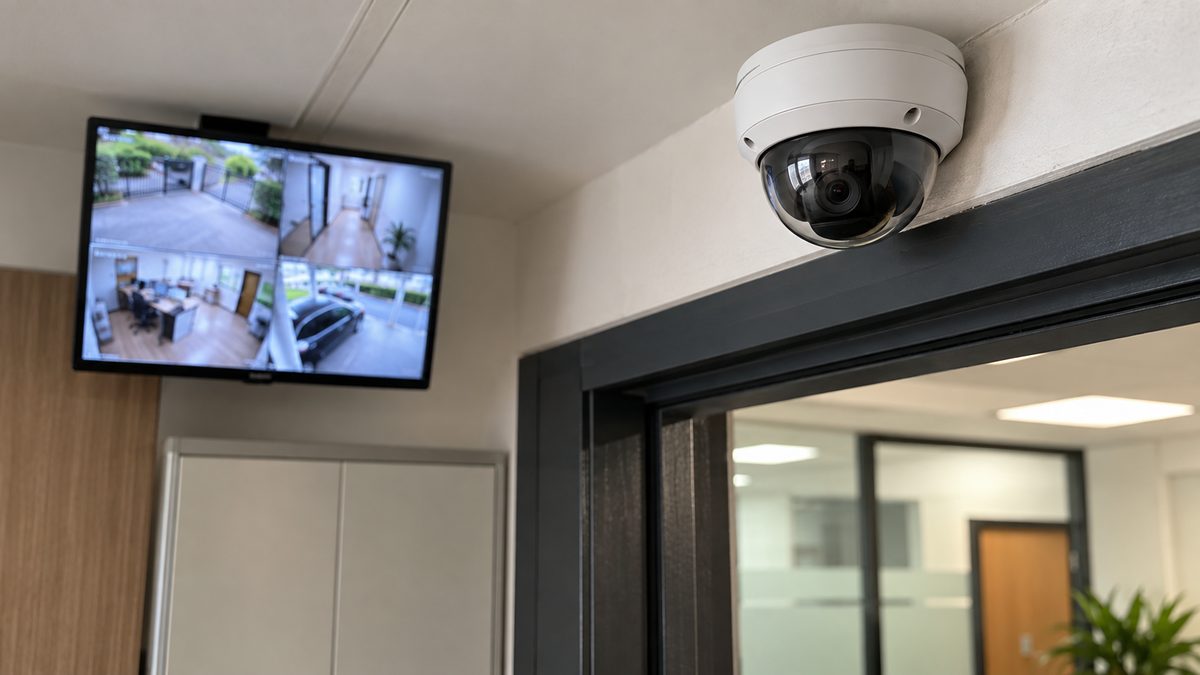
More and more Malaysians are thinking about security for their terrace house in Subang, their small shop in Ipoh or their rented office unit. A CCTV home office setup lets you keep an eye on your property, your family and your staff. CCTV stands for closed-circuit television. It just means cameras that record video and send it to a screen or storage device you control.
Walk into any electronics shop and you’ll see dozens of options, and the sales talk can get confusing fast. So before you pay for anything, it helps to know which questions to ask.
Walk Around First
Start with a slow walk around your home or office. Look at the spots that matter most to you. For most houses, that’s the main gate, the front and back doors, the car porch and any side lane where someone could slip in unseen. In a shop or office, you’d add the counter, the cash area, the storeroom and the entrance.
While you walk, think about why you want cameras in the first place. Is it to stop break-ins? To check who’s dropping off parcels? To see what happens at the counter when you’re not there? Your reason will guide how many cameras you need, where they go and which features are worth paying for.
Which Camera Type Suits You?
CCTV cameras come in a few common styles, and each has its own strengths.
Dome and Bullet Cameras
Dome cameras have a round cover and usually sit on the ceiling. They look neat, and it’s hard for people to tell which way they’re pointing. That’s why you’ll see them in offices, shops and indoor areas.
Bullet cameras are long and narrow, and they’re easy to spot. That’s partly the point. A visible camera can make someone think twice. They’re often used outdoors, at gates and car porches.
PTZ Cameras
PTZ stands for pan, tilt and zoom. These cameras can turn left and right, tilt up and down, and zoom in. They’re handy for large spaces like a warehouse or a big compound, but they usually take more work to set up.
Wired or Wireless?
Wired cameras connect with cables, so they tend to be more stable. Wireless cameras use Wi-Fi, which makes them easier to install. The catch is that they need a strong, steady signal. If your Wi-Fi already drops out in the back room, a wireless camera there will struggle too.
Can You Actually See What It Records?
A camera is only useful if the video is clear. Blurry footage won’t help you identify a face or read a car plate. When you compare cameras, ask the seller to show you sample footage from both day and night.
Night vision matters a lot, since many incidents happen after dark. Many cameras use infrared light to see in low light. Ask how far the camera can see at night, and whether night footage shows colour or just black and white.
Then there’s our weather. Outdoor cameras have to cope with heavy rain, strong sun and high humidity all year round. Check that the camera is made for outdoor use and ask how it’s protected against water and dust.
Where Your Video Gets Stored
Your CCTV has to save its video somewhere, and there are two main choices.
Local storage keeps the footage on a recorder box or memory card at your property. You control it, and it doesn’t depend on the internet. The downside is that if a thief takes or smashes the recorder, your video may go with it. Hiding the recorder in a less obvious spot can help.
Cloud storage saves the footage online through a service. It stays safe even if the device is damaged, and you can view it from anywhere. But it relies on your internet connection and may come with an ongoing subscription.
Some systems let you use both. Whichever you pick, ask how long footage is kept before it’s recorded over, and how easy it is to save an important clip.
Watching From Your Phone
Remote viewing means you can check your cameras on your phone or computer while you’re away. It’s very handy for business owners who travel, or parents who want to peek at home during office hours.
Before you buy, find out if there’s a mobile app and whether it’s easy to use. Ask if more than one person can log in, if you’ll get alerts when there’s movement, and if you can replay old recordings as well as watch live.
Security matters here too. Always change the default password to a strong one, and keep the app and device software updated. An unprotected camera can end up showing your home to strangers instead of protecting it.
Getting It Installed Properly
A badly placed camera can miss the one spot you care about, and messy wiring causes trouble later. You can set up simple wireless cameras yourself. For bigger systems, a trained installer usually does a better job.
When you talk to installers, ask:
- Will you visit the site first to plan camera positions?
- What exactly is included in the installation?
- How will cables be hidden and protected?
- Will you show me how to use the system?
- What warranty and after-sales support do you offer?
Get a written quotation that lists the equipment and work included, so you can compare installers fairly.
Be Fair to the People Around You
CCTV should protect people, not make them uneasy. Point your cameras at your own property, not into your neighbour’s windows or compound. In an office, never put cameras in private areas like toilets or changing rooms.
It’s good practice to put up a sign saying CCTV is in use, and to tell your staff where the cameras are and why. If you’re unsure of the rules, check the current personal data and privacy guidelines in Malaysia, or ask a legal professional.
Questions People Often Ask
How many cameras do I need?
It depends on the size of your place and what you want to cover. Start with the main entry points and the areas where valuables are kept. You can always add more later.
Can I install CCTV myself?
For a couple of simple wireless cameras, yes. For bigger systems with lots of cables, a trained installer will save you time and mistakes.
Does CCTV still work during a power cut?
Most systems stop when the power goes, unless they have a backup power supply. If blackouts happen often in your area, ask your seller about backup options.
Will a camera stop a break-in?
A visible camera can put some people off, but it won’t stop everyone. It works best alongside good locks, proper lighting and neighbours who look out for each other.
No camera system is perfect, and the most expensive one isn’t always the best fit. Pick one that covers the spots you actually worry about, gives you footage you can use, and that you’ll bother to check. That’s worth more than a long list of features you’ll never touch.